
The page you were trying to view is not available for your role.
Introducing a more secure and streamlined login
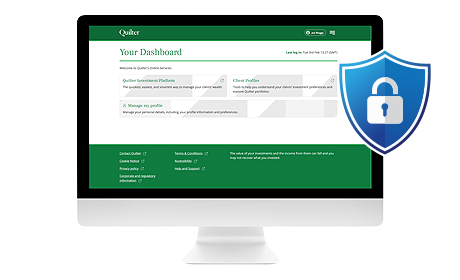
As part of our ongoing programme of security improvements, our new login system, Q-Pass provides stronger security and allows the use of ‘passkey’ technology for an easier login experience.
Simply log in with your existing details and follow the verification steps.
Once logged in, you'll benefit from:
- stronger protection with multi-factor authentication using a passcode sent to your mobile
- one secure login to access Quilter’s platform and connected systems
- an easier experience with the option to use new ‘passkey’ technology.
Even quicker access with passkey
Unipass has been removed and replaced with the option to use passkeys. After your first successful login, you can choose to set up a passkey, which makes logging in quicker and easier.
Once a passkey is set up, you won’t need to wait for a text message or enter a one‑time code each time you log in.
What is a passkey?
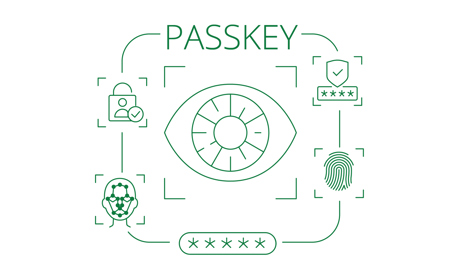
A passkey is a modern, industry-standard way of signing in that removes the need to repeatedly type passwords or login codes. Many well-known organisations already use passkeys as part of their everyday login process.
Instead, you sign in using the security already built into your computer or mobile device, such as Windows Hello, Face ID, fingerprint or a device PIN, allowing you to log in quickly and securely.
How do I set up a passkey?
Once you have successfully logged in:
- Go to the ‘Manage my details’ area on the new Q-Pass dashboard.
- Click the ‘Security’ tab and then ‘Add a passkey’.
- A one-time passcode is sent via text message to your registered mobile number – enter this code online.
- Follow the prompts specific to your device and you’ll be all ready to start using your passkey.
You’ll still be able to use your username, password, and one-time passcode to your mobile as verification if you prefer.
Helpful tips and answers
Go to the platform homepage (where you’ll be redirected to the new login page) and enter your existing username and password. You’ll then be guided through the short secure verification process before accessing Quilter's platform. See the above video for further guidance.
Yes, you’ll be automatically redirected to a new secure login screen with Quilter branding. Please watch the demonstration video above to see how the new login screen looks.
Quilter’s platform now uses two-factor authentication via a one-time passcode sent to your mobile during login or password reset. This is an industry recognised strong approach to user authentication when logging in to secure systems.
Please contact your Master User who will be able to look up your username.
To do this, the Master User needs to login via Q-Pass, select the Quilter Investment Platform, then click on ‘System admin’ and use the search criteria to locate you using your email address, mobile number, or Quilter platform user ID. Your username will show against your name.
If you are unable to reach your Master User, please get in touch with your usual Quilter contact or call Quilter on 0800 470 1293 for support.
For all password resets, we need to add your mobile number to your account to reset your password. This applies even if we previously held your mobile number. This is to ensure that all of your security details are up to date for the new login process.
Please speak to your Master User, who can add your mobile number to the platform. To do this, the Master User needs to click on ‘System admin’ and use the search criteria to locate you. They can then select ‘Online Account’ next to your name and update your mobile number.
If your Master User is unable to add your number, please get in touch with your usual Quilter contact or call Quilter on 0800 470 1293 for support.
Once you have added your mobile number:
- Enter your username on the login screen
- Select ‘Forgot your password?’ underneath
- Follow the on-screen instructions
- Click the ‘Send reset email’ button to receive a link to reset your password.
Try the following:
- Refresh the page
- Clear your browser cache and cookies
- Try a different browser
It can also be worth checking if any of your colleagues are affected to see if it is an isolated issue. If the issue continues, call Quilter on 0800 470 1293.
Unipass is no longer supported for logging in. Access to Quilter's platform and linked systems is now through a new, more secure login system, Q-Pass, with username, password, and mobile verification. We also offer ‘passkey’ technology to make logging in quicker and easier. Please see above for more information.
- Check with your Master User that your mobile phone number is correct on the platform. To do this, the Master User needs to click on ‘System admin’ and use the search criteria to locate you. They can then select ‘Online Account’ next to your name and update your mobile number. If your Master User is unable to add your number, please get in touch with your usual Quilter contact or call Quilter on 0800 470 1293 for support.
- Check your mobile phone has signal.
- Check your settings to make sure text messages aren’t being blocked or filtered.
If the issue continues, call Quilter on 0800 470 1293 for support.
Your Master User can update your email address and mobile number. To do this, the Master User needs to click on ‘System admin’ and use the search criteria to locate you. They can then select ‘Online Account’ next to your name and update your email address and mobile number.
If your Master User is unable to add your number, please get in touch with your usual Quilter contact or call Quilter on 0800 470 1293 for support.
If you are unsure who your Master User is, please get in touch with your usual Quilter contact or call Quilter on 0800 470 1293 for support.